
// GA4 analytics & audit
Is Your GA4 Actually Tracking What You Think
Is Your GA4 Actually Tracking What You ThinkMost GA4 properties are still running on their original default setup from whenever someone first connected the tracking code. Events get renamed, conversions get duplicated, filters get forgotten. I go through your property configuration end to end and tell you what’s actually being measured, versus what you think is being measured.
// COMMON GA4 PITFALLS
Why GA4 Setups Go Wrong
Why GA4 Setups Go Wrong-
Events created early on that no longer match how the business actually works, but nobody’s gone back to clean them up
-
Conversions marked as “key events” that don’t actually represent revenue or leads — inflating what looks like a strong number
-
Internal traffic (your own team) not filtered out, quietly skewing every report
-
Data retention and filter settings left on GA4’s defaults, which aren’t necessarily right for your business
// AUDIT SCOPE
What the Audit Covers
-
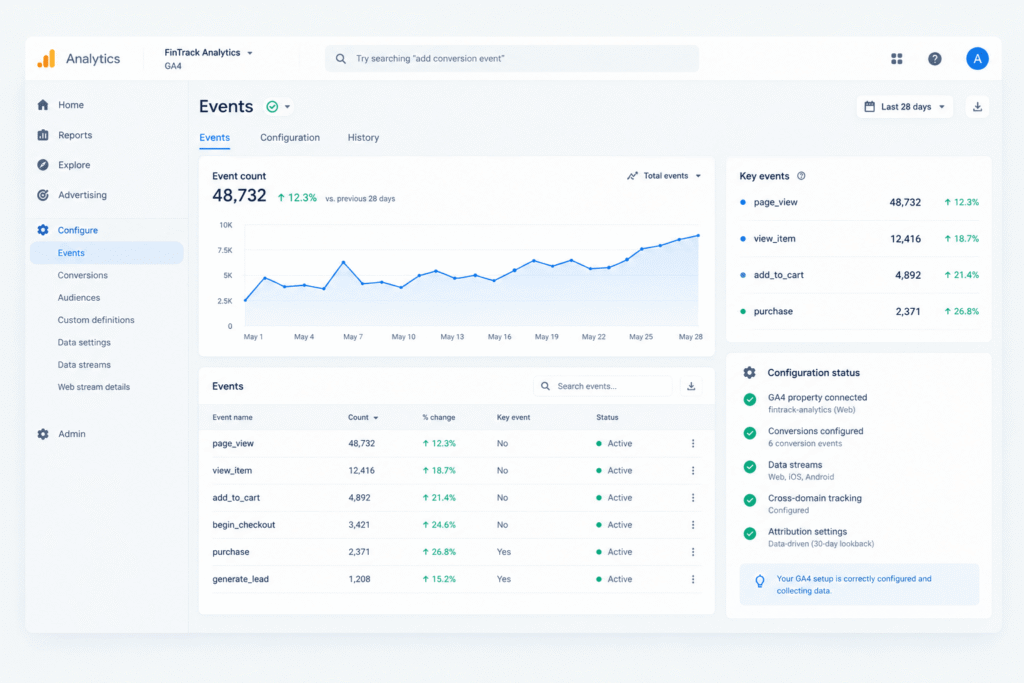
Event tracking setup and naming consistency
-
Conversion (“key event”) configuration and whether it maps to real business outcomes
-
Audience definitions and segment accuracy
-
Data filters — internal traffic exclusion, bot filtering, unwanted referral exclusion
-
Data retention settings and property-level configuration
-
Cross-check against Google Tag Manager to confirm GA4 is receiving what GTM is actually sending
// DELIVERABLES
What You Get
What You GetA written report showing exactly what’s configured correctly, what isn’t, and what to fix first — written so you can read it yourself, not just hand it to someone else to decode. If your GA4 setup needs rebuilding rather than just fixing, I’ll tell you that clearly rather than patching around a broken foundation.
// TRANSPARENT PRICING
What This Costs
Same as every audit — the 15-minute health check is free, and I’ll quote the full audit cost upfront before any paid work starts.
// SERVICE FAQs
GA4 Audit Questions
Most businesses don’t, until someone checks — the interface will show numbers either way, correct or not, so there’s no visual warning sign from inside GA4 itself.
Read/Analyst-level access to your GA4 property. No admin or account-level access required.
If you’re still on the old Universal Analytics setup, that’s flagged as a priority item in the audit — UA stopped processing new data some time ago, so this needs addressing regardless of anything else found.
That audit looks across all your platforms (Google Ads, Meta, LinkedIn, etc.) for mismatches between them. This one goes deep specifically inside GA4’s own configuration. Many clients need both — I’ll tell you honestly if that’s the case for you.